
DESKTOP & LAPTOP
Dell Laptop & Computer Repair
We can repair your Dell PC or Laptop, anything from hardware to software. We are a local computer repair business located nearby in Diamond Creek and provide services for your Dell Desktop or Laptop.
Call us on 0479 100 163
Located nearby in Diamond Creek
We repair Dell PCs & Laptops
We are located nearby in Diamond Creek and we provide repairs and support for all models of Dell. We can help with anything from screen replacements, battery replacements, hinge repairs, power jack repairs to motherboard repairs.
Dell is one of the most well known brands and are known for reliability, performance their hardware is generally easy to service and upgrade which makes it a popular choice for businesses and technicians.

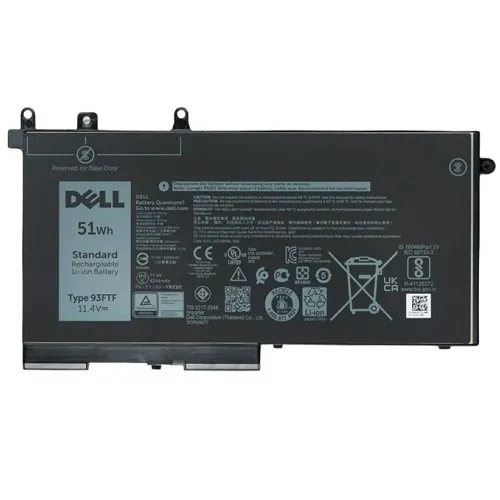
We can source genuine or third party parts
Whether you want parts directly from Dell or you are happy with third part generic brands we can supply.

We also sell refurbished Dell Laptops
Save money on purchasing a new laptop by purchasing a refurbished ex-business laptop.
Common Issues:
- Boot errors
- Blue screen issues
- Overheating
- Battery problems
- Keyboard & touchpad issues
- Display problems
- Hinge damage
- Slow performance
- Driver conflicts
- Connectivity issues
- Software problems
What we can help with
- Screen Repair
- Battery Replacement
- Water Damage
- WIFI Troubleshooting
- Virus Removal
- Keyboard Repair
- Hard Drive Repair
- Overheating / Fan Repair
- RAM Replacement
- Video Card Replacement
- Hinge Repair
- Motherboard Repair
- Power / Charging Repair
- Tune-up & Upgrades
- Trackpad / Touchpad Issues
- Sound Issues
What is the most common problem in a Dell laptop?
While there a few different issues that can affect Dell, for Dell Laptops some of the most common issues include overheating, screen flickering, dead pixels on the screen and boot up issues.
Other common problems for Dell computers may include:
- BSOD indicating either software or hardware problems
- Touchpad issues
- Keyboard issues
- Issues with hdds or ssds for example slow performance
- Power issues
- USB port issues
Most computers generally experience these issues.
What to do if Dell laptop is not working?
If your Dell laptop isnt working there are a few things you can try to get it working again.
- Check the power cord and outlet
- Restart the computer
- Press and hold the power button for around 20-30 seconds to perform a hard reset and to help dissapate any left over power
- Access Dell diagnostics by pressing F12 and see if anything has reported to be failing
- If software issues try updating drivers and Windows
- Scan for Malware
- Ensure proper ventilation and make sure they are not blocked
We are nearby and serve people in the surrounding Nillumbik suburbs and outside
Greensborough, 3088
Montmorency, 3094
Briar Hill, 3088
Yallambie, 3085
Lower Plenty, 3093
Doreen, 3754
Yan Yean, 3755